By The Defense Compliance Report Editorial Team Last reviewed: August 2026 · Last verified against 32 CFR Part 170, the CMMC FAQ, and the CMMC Scoping Guide – Level 2 on August 26, 2026
There is no single CMMC remote work requirement. There are fifteen, worth 47 of the 110 points in a Level 2 assessment. Which ones apply depends on one thing: whether Controlled Unclassified Information actually lands on the remote device. If it does, that laptop is a CUI Asset assessed against all 110 requirements. If it doesn't, the endpoint can be out of scope entirely — including a personal one.
That last part isn't our interpretation. It's written into federal regulation three separate times.
Here's what most contractors get wrong, and it costs them real money: they treat "remote work" as a compliance category. It isn't. CUI location is the category. Every contradictory answer you've read online — one blog says ban personal devices, another says home networks are in scope, a third says an assessor can knock on your employee's door — comes from writers who never made that distinction.
We read the rule, the scoping guide, and the Department's own FAQ to sort it out. One of those documents contains a condition that quietly disqualifies most of the "bring your own device plus virtual desktop" setups being sold right now, and almost nobody is publishing it. We'll get to it.
Current CMMC status — verified August 26, 2026
On July 13, 2026, the Department of War suspended the transition to Phase 2 of the CMMC program, which had been scheduled for November 10, 2026. The Department's own FAQ (Revision 2.4, dated July 13, 2026) now states plainly: "The DoW has suspended the transition to Phase 2 of the program."
Phase 1 did not stop. It began November 10, 2025, when the revised DFARS clause 252.204-7021 took effect. Level 1 and Level 2 self-assessment requirements, SPRS score posting, annual affirmations, DFARS 252.204-7012, and NIST SP 800-171 Revision 2 all remain in force where they appear in your contract.
A CMMC Reform Task Force is reviewing the program and is expected to report to the Department CIO in mid-September 2026. Re-check status before you make a budget decision on the strength of this page.
Who this page is for: Level 2 contractors — companies handling CUI — with employees, administrators, or service providers who access that information from homes, hotels, customer sites, or public networks.
Who should leave now: If your remote staff never touch CUI or Federal Contract Information, this is a policy exercise, not a scoping problem, and you're spending time you don't need to. If you're only handling FCI, jump to our Level 1 self-assessment checklist — the picture there is much smaller and this page will overwhelm you with requirements you don't have.
The key qualifier: Location does not determine scope. Data flow, device capability, and security function do. And the contract clause — not a checklist, not a consultant, not this article — sets your required level.
The four setups, decided
| Your remote setup The bottom line | |
|---|---|
| Remote staff handle FCI only, no CUI | Level 1 if the contract requires it — 15 safeguards, no POA&M allowed, annual self-assessment |
| Company laptop, CUI downloads or caches locally | The laptop is a CUI Asset. All 110 requirements apply to it. |
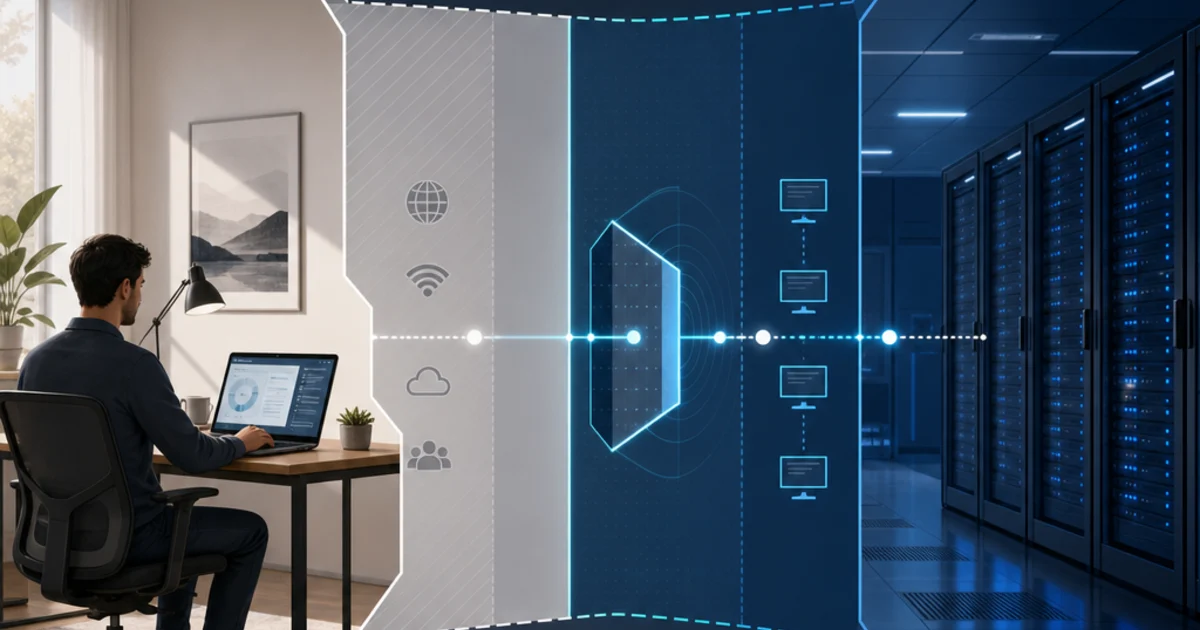
| Any device using a virtual desktop locked to keyboard, video, and mouse only | The endpoint can be an Out-of-Scope Asset — but the Department attaches conditions most vendors don't mention |
| Personal device holding CUI, or CUI printed at home | Permitted, not prohibited — and the most expensive path in both evidence and privacy |
The Defense Compliance Report is the independent trade publication and decision resource for CMMC and Defense Industrial Base compliance — explaining the CMMC Final Rule with primary-source citation on every claim and mapping a contractor's level, CUI scope, assessment type, and timeline to the right provider category, so DIB contractors choose the right CMMC path before they spend six figures.
Is remote work allowed under CMMC?
Yes. Nothing in 32 CFR Part 170, NIST SP 800-171 Revision 2, or DFARS 252.204-7012 prohibits working with CUI from home. The standard explicitly anticipates it: requirement 3.10.6 covers "alternate work sites," and NIST's own discussion names the private residences of employees as an example. CMMC requires you to define, enforce, and prove safeguards wherever authorized work happens — not to stop the work from happening there.
We want to be blunt about how thoroughly the rule contemplates remote work, because the anxiety around this question is out of proportion to the text.
The Department's CUI Program office answers the underlying question in one word. Its published telework FAQ asks "Can I take CUI home with me?" and answers: "Yes, personnel can take CUI home." It then gives the handling conditions — a Standard Form 901 CUI cover sheet on top of the documents, all materials in an opaque envelope with no CUI markings on the outermost layer, documents secured in desks, file cabinets, or bookcases in the residence when not actively in use, and smart-speaker devices such as Alexa disconnected during CUI discussions.
That guidance is written for Department personnel, not contractors. Your obligations come from your contract, your CUI category, and your own policy. But it tells you something useful about posture: the government's own answer to "can this go home" is yes, with conditions. Not no.
The one thing we'd rather not tell you
Most of what's on this page is free.
Writing an alternate work site authorization takes twenty minutes and closes a requirement worth one point that you were allowed to defer anyway. Turning off split tunneling is a configuration setting. Documenting which remote-access methods you permit is an afternoon with a whiteboard. We run an independent trade publication on CMMC 2.0 and DIB compliance that routes readers to compliance providers, and we're telling you not to pay anyone for the cheap parts.
Here's what is not cheap, and it's the reason this page exists: the architecture decision. Pick the wrong remote-work pattern and you either spend six figures building a secure environment you didn't need, or you spend eighteen months not realizing a personal laptop has been sitting inside your assessment boundary the entire time. One of those is a budget problem. The other is an affirmation problem, and affirmation problems have a False Claims Act tail.
The paperwork you can do yourself. The architecture is worth thinking hard about. The rest of this page is about the architecture.
What is the CMMC remote work requirement?
There isn't one. Across NIST SP 800-171 Revision 2 — the standard CMMC Level 2 currently incorporates — fifteen security requirements are decided by how you handle remote work, spanning five families: Access Control, Identification and Authentication, Maintenance, Physical Protection, and System and Communications Protection. Together they are worth 47 points against a maximum score of 110. Seven of the fifteen are five-point requirements.
The control everyone means when they say "the remote work requirement" — PE.L2-3.10.6, alternate work sites — is worth exactly one point and can be deferred on a Plan of Action and Milestones. It is the least consequential item on the list.
The Remote Work Point Ledger
We built this table by reading the scoring lists in 32 CFR § 170.24(c)(2)(i)(B) and the POA&M restrictions in § 170.21(a)(2) requirement by requirement on the eCFR on August 26, 2026 (Title 32 current as of August 24, 2026, last amended August 17, 2026). We have not found this published anywhere else for remote work.
A note on how scoring works: you start at 110. Every requirement scored NOT MET subtracts its point value. You need a score of at least 88 — 80% of 110 — to qualify for a Conditional CMMC Status, and a Plan of Action and Milestones is a written commitment to close the gap within 180 days.
| Requirement What it decides about remote work Points lost if NOT MET Can it go on a POA&M? | |||
|---|---|---|---|
| AC.L2-3.1.12 Monitor and control remote access sessions | Whether you log remote sessions and can terminate one | 5 | No |
| AC.L2-3.1.13 Cryptographic mechanisms for remote sessions | Whether the remote session itself is encrypted | 5 | No |
| AC.L2-3.1.14 Route remote access via managed access control points | Whether remote access funnels through a controlled gateway | 1 | Yes |
| AC.L2-3.1.15 Authorize remote execution of privileged commands | Whether admins can run privileged commands from home | 1 | Yes |
| AC.L2-3.1.18 Control connection of mobile devices | Whether phones and tablets can connect | 5 | No |
| AC.L2-3.1.19 Encrypt CUI on mobile devices | Whether CUI on a mobile device is encrypted | 3 | No |
| AC.L2-3.1.20 Verify and control/limit connections to and use of external systems | Whether a personal or home computer can touch your systems | 1 | No — explicitly prohibited |
| AC.L2-3.1.21 Limit use of portable storage on external systems | Whether a USB drive can be used on a home computer | 1 | Yes |
| IA.L2-3.5.3 Multifactor authentication | MFA for network access and privileged accounts | 5 (3 if MFA covers only remote and privileged users) | No |
| MA.L2-3.7.5 MFA for nonlocal maintenance sessions | Whether remote IT work is authenticated and terminated | 5 | No |
| PE.L2-3.10.6 Safeguarding measures at alternate work sites | The home office, hotel room, or client site | 1 | Yes |
| SC.L2-3.13.7 Prevent split tunneling | Whether a device can be on your network and another at once | 1 | Yes |
| SC.L2-3.13.8 Cryptographic protection of CUI in transmission | Whether CUI is protected in transit | 3 | No |
| SC.L2-3.13.11 FIPS-validated cryptography | Whether that encryption is a validated module | 5 (3 if encryption is used but not FIPS-validated) | Only at the 3-point level |
| SC.L2-3.13.15 Protect authenticity of communications sessions | Whether sessions can be hijacked | 5 | No |
What the ledger shows, in three numbers:
47 points. That is 43% of the maximum score riding on remote-work architecture — for a company where remote access is how the work gets done.
Five of fifteen can be deferred. Only the one-point requirements are eligible for a POA&M under § 170.21(a)(2)(ii), plus SC.L2-3.13.11 in one narrow case. That means 42 of the 47 points must be fully met on assessment day. There is no "we'll fix the VPN encryption next quarter" path.
And then there's AC.L2-3.1.20. This is the requirement that decides whether a personal laptop or a home computer can connect to your systems. It is worth one point — the cheapest requirement in the entire chain. And it appears by name on the list at § 170.21(a)(2)(iii) of requirements that may never appear on a POA&M, alongside only five others in all of Level 2. The Department's own FAQ confirms it: contractors get a "No Status" result in SPRS when they place any of those six on a plan.
Read that again. The single control governing personal devices is simultaneously the least valuable and the least forgiving requirement in the remote-work chain. We have not seen another page make that observation, and it changes how you sequence remediation: you can defer the alternate work site paperwork. You cannot defer the decision about personal devices.
One honest ambiguity, flagged rather than smoothed over. The discussion text for AC.L2-3.1.18 gives its examples of a "mobile device" as smart phones, e-readers, and tablets, and points to NIST SP 800-124 for guidance — a publication that explicitly excludes laptops from its scope. A narrow reading would put company laptops outside 3.1.18 and 3.1.19, which together are worth 8 points. In practice, assessors commonly apply both to laptops. Our editorial judgment: cover laptops under your general endpoint requirements and do not bet eight points on the narrow reading. If someone tells you laptops are categorically exempt from the mobile device requirements, ask them to show you where.
The right CMMC provider isn't the same for every contractor — the category you need (a C3PAO, an RPO, an MSSP, a GRC platform, or a CUI enclave) depends on your required CMMC level, whether you handle FCI or CUI, your assessment type, your cloud and IT environment, and your contract timeline. The contract clause sets your level, not a checklist. Because a general answer can't resolve those for you, use The Defense Compliance Report's Find My CMMC Path tool to map your situation to the right provider category before you request quotes — and do not submit CUI, drawings, or sensitive contract details.
The CMMC Path Framework routes you to a provider category, not a named provider. It is not a score, a ranking, an assessment result, or compliance advice. Current-status note: Level 2 (C3PAO) and Level 3 procurement designations are paused during the Department's review — confirm your actual solicitation path before requesting formal assessment quotes.
A quick definition, since we'll use these terms throughout. C3PAO — CMMC Third-Party Assessment Organization, the only entity that can perform a Level 2 certification assessment. RPO/RP — Registered Provider Organization or Registered Practitioner, listed by the Cyber AB to help you prepare. MSSP — Managed Security Service Provider. GRC platform — governance, risk, and compliance software for tracking controls and evidence. CUI enclave — a walled-off environment where CUI lives, separate from the rest of your business. SPRS — Supplier Performance Risk System, the government database where you post your score. DIBCAC — the Defense Contract Management Agency's Defense Industrial Base Cybersecurity Assessment Center, which performs government assessments.
Which parts of a remote-work setup are actually in CMMC scope?
Scope follows the asset's role and the flow of CUI, not the employee's street address. Under 32 CFR § 170.19(c)(1), a device that processes, stores, or transmits CUI is a CUI Asset assessed against all 110 requirements. A component that provides security functions to that environment is a Security Protection Asset. An endpoint is out of scope only if it cannot process, store, or transmit CUI and does not protect CUI Assets.
Here is the sentence that makes remote work tractable. It appears in the Code of Federal Regulations three separate times — at § 170.19(b)(2)(i) for Level 1 with FCI substituted, at § 170.19(c)(1) Table 3 for Level 2, and at § 170.19(d)(1) Table 5 for Level 3:
"An endpoint hosting a VDI client configured to not allow any processing, storage, or transmission of CUI beyond the Keyboard/Video/Mouse sent to the VDI client is considered an Out-of-Scope Asset."
Most articles on this topic cite that carve-out to a vendor blog, if they cite it at all. It's in the regulation. Three times. And the Department repeated it in the CMMC FAQ, adding a condition worth noticing: "Proper configuration of the VDI client must be verified."
The four architectures, scored
| A. Company laptop + VPN B. Company laptop + locked virtual desktop C. Personal device + locked virtual desktop D. Personal device holding CUI | ||||
|---|---|---|---|---|
| Does CUI land on the endpoint? | Yes | No | No | Yes |
| Asset category of the endpoint | CUI Asset | Out-of-Scope Asset | Out-of-Scope Asset | CUI Asset |
| Assessed against | All 110 requirements | The virtual desktop environment, not the endpoint | The virtual desktop environment, not the endpoint | All 110 requirements |
| Is the home network in scope? | No — untrusted transit; the tunnel is what's graded | No | No | In practice yes, because the device is |
| Which of the 15 apply | All 15 | 3.1.12, .13, .14, 3.5.3, 3.7.5, 3.13.7, .11, .15, 3.10.6 | Same as B, plus written terms of use under 3.1.20 | All 15, on hardware you don't own |
| What breaks it | Split tunneling, non-validated crypto, incomplete MFA | Any clipboard, drive, print, or screenshot path | Same, plus MFA that lives on the same device | Nothing. It's just expensive. |
| Cost driver | Endpoint management licenses × headcount | Virtual desktop licenses + hosting | Same as B, plus separate MFA tokens | Everything, plus a privacy negotiation |
| At Level 3 | Same | Same | Same | AC.L3-3.1.2e restricts access to organization-owned resources. This setup ends. |
| Realistic for a 25-person shop? | Yes | Yes | Yes, with discipline | Almost never |
One planning note that catches people at exactly the wrong moment. Under § 170.19(d)(1) Table 5 and the CMMC Scoping Guide – Level 2, any asset you classified as a Contractor Risk Managed Asset at Level 2 — something that could process CUI but isn't intended to — is treated as a CUI Asset if it falls inside a Level 3 scope. If you're using that category to keep remote laptops light at Level 2 and Level 3 is anywhere in your future, know that the classification does not travel.
Decision Resolution Point
You don't need a consultant to figure out which column you're in — you need thirty minutes and an honest look at your configuration.
Walk your setup through the CMMC Remote Work Scope Decider. Six questions about your data, devices, and configuration. It returns your likely asset category with the rule text quoted, your point exposure requirement by requirement, and a printable Remote Work Scope Determination you can file as evidence. Nothing is stored and nothing is sent anywhere.
If it puts you in column A or D and you'd rather be in B or C, that's an architecture conversation — a readiness or enclave category question, not an assessment-shopping one. Compare provider categories →
Do not enter CUI, drawings, credentials, network diagrams, or contract details into this or any form.
Is my employee's home network or router in CMMC scope?
Not automatically, and the reason the answers you've read conflict is that the official scoping guidance simply doesn't address homes at all. A home router that only carries properly encrypted CUI to a logically separated environment generally does not extend your assessment scope. A component that processes CUI, provides a security function to your CUI environment, or is relied on to enforce your boundary can be in scope regardless of who owns it or where it sits.
We can be unusually specific about the source of the confusion, because we went and checked.
We read the entire CMMC Scoping Guide – Level 2 (Version 2.13, September 2024) — all thirteen pages. It never uses the words home, residence, telework, or remote. Not once. The document that defines the five asset categories and tells you how to draw your boundary is silent on the single most common question contractors have about drawing that boundary.
That silence is why one vendor tells you every home router is in scope and the next tells you none of them are. Both are filling a vacuum.
What the Department did answer
The CMMC FAQ (Revision 2.4, July 2026) addresses the underlying principle twice, and the two answers together resolve the question:
On encryption as a boundary — FAQ F-Q3: Can encryption alone create logical separation for a network within a CMMC Assessment Scope? The Department's answer is no. Logical separation happens when data transfer between physically connected assets, wired or wireless, is prevented by non-physical means such as firewalls, routers, VPNs, or VLANs. Properly implemented encryption provides confidentiality protection, but by itself it does not prevent data transfer or enforce a security boundary.
On encrypted traffic crossing components you don't control — FAQ F-Q4: A contractor asked whether enterprise networking components sitting outside a logically separated enclave must be pulled into scope when all CUI is properly encrypted before it leaves. The Department's answer is no — so long as the enclave is otherwise logically separated, transmitting properly encrypted CUI across those outside components does not extend the assessment scope to include them.
Our editorial application, clearly labeled as such: F-Q4 addresses enterprise networking components, not consumer home routers. But the reasoning is the reasoning. If your CUI environment is genuinely, logically separated and CUI is properly encrypted before it crosses anything you don't control, the network components in between are transport, not boundary. A home router is the same kind of thing as an enterprise switch you don't own: something the encrypted traffic passes through. It is not, on those facts, part of your assessment scope. That is our reading of the Department's stated principle, not a Department ruling on home networks.
When the home network does become your problem
Treat these as the tripwires:
- The router terminates or enforces the tunnel that protects CUI.
- You rely on its logs, filtering, or policy to satisfy a requirement — at that point it's providing a security function, and the Scoping Guide's own examples list hosted VPN services under Security Protection Assets.
- CUI sits unencrypted on a device on that network. The device pulls into scope. The network still doesn't — but the distinction stops mattering much at that point.
- Unmanaged household devices can reach the CUI endpoint through an unsegmented path.
The rule to write on the whiteboard: don't say "the home network is in scope" and don't say "the home network is out of scope." Ask three questions. Does it handle CUI? Does it provide a security function to my CUI environment? Or does it just carry encrypted traffic outside an otherwise defensible boundary? Only the third answer keeps it out.
Hotels, coffee shops, and airport Wi-Fi
Same test, same answer. A hostile transport network is a hostile transport network whether it belongs to Marriott or to your employee's neighbor's misconfigured mesh node. The controls that matter — AC.L2-3.1.13's cryptographic protection of the session, SC.L2-3.13.11's requirement that the cryptography be a FIPS-validated module, and SC.L2-3.13.7's prevention of simultaneous connections — assume the network in between is untrustworthy. That's the design premise.
What public networks add is not a network problem. It's a physical one: shoulder surfing, unattended devices, overheard calls. Those land under PE.L2-3.10.6, and they're the reason your alternate work site policy should name hotel rooms and airport lounges explicitly rather than saying "home office."
If your office Wi-Fi is what you're worried about rather than your employees' home Wi-Fi, that's a different set of requirements — AC.L2-3.1.16 and AC.L2-3.1.17, both five-pointers. See CMMC wireless security requirements.
Does a VPN make remote work CMMC compliant?
No. A virtual private network can protect a session and route it through a controlled gateway, but the discussion text for AC.L2-3.1.12 says it directly: the use of encrypted VPNs does not make the access non-remote. If the endpoint at the far end processes, stores, or transmits CUI, that endpoint is a CUI Asset and all 110 requirements apply to it. No CMMC requirement names VPN as a product.
This is the most expensive misunderstanding on this page, because it usually surfaces after the purchase.
What a VPN genuinely solves: confidentiality in transit, a single managed entry point for AC.L2-3.1.14, centralized authorization and session logging for AC.L2-3.1.12, and a defensible answer to the untrusted-transport problem.
What it does not solve: local downloads, browser caches, screenshots, clipboard paths, local print spooling, unmanaged endpoint security, physical CUI in the room, or household members with access to the machine.
Three requirements decide whether your remote access design holds up, and they're worth 11 points together:
AC.L2-3.1.13 (5 points) requires cryptographic mechanisms protecting remote sessions. SC.L2-3.13.11 (5 points, or 3 with partial credit) requires that the cryptography be FIPS-validated when it protects CUI confidentiality. There is a real difference between a product marketed as "FIPS compliant," a validated cryptographic module, and the specific module version you actually deployed. Look up the certificate in the NIST Cryptographic Module Validation Program and confirm the version matches what's running. See CMMC FIPS 140-2 requirements for how to read a certificate.
SC.L2-3.13.7 (1 point) is usually described as "prevent split tunneling," which is close enough for a conversation and imprecise enough to fail an assessment. The requirement is about preventing remote devices from simultaneously establishing a non-remote connection with your systems while communicating through some other connection to external networks. It's a property of the device's behavior, not a checkbox in a VPN console — though flipping that checkbox is usually how you get there.
VPN versus locked virtual desktop, side by side
| Question VPN to your network Virtual desktop, keyboard/video/mouse only | ||
|---|---|---|
| Does CUI reach the endpoint? | Usually yes | No, beyond screen pixels and input |
| Can the endpoint be out of scope? | No | Yes, if every condition is verified |
| Does it control local saving, printing, copying? | Not by itself | Must be blocked server-side |
| Does it remove alternate work site obligations? | No | No |
| Does the central environment stay in scope? | Yes | Yes |
| Is MFA still required? | Yes | Yes — and with an extra condition |
That last row is where this gets interesting.
Can a virtual desktop keep the remote endpoint out of CMMC scope?
Yes — and it is the single most effective scope-reduction move available for remote work. But the Department attaches specific conditions in the CMMC FAQ that go well beyond the sentence in the regulation, and one of them disqualifies a configuration most contractors consider standard practice: multifactor authentication that lives on the same unmanaged device.
The regulation gives you the principle. FAQ F-Q1 and F-Q2 give you the checklist. We're reproducing the substance of F-A2 here because it is, in our reading, the most operationally useful paragraph the Department has published on remote work, and it's buried in a PDF on the Department CIO's site.
The Department's conditions for an out-of-scope endpoint
Per CMMC FAQ Revision 2.4, Section F, the endpoint can be considered out of scope when:
- The virtual desktop server blocks copy-paste, file transfers, or any other data exchange across the session. Server-side. Not a policy asking users not to.
- The session transmits only video, keyboard, and mouse data. The FAQ specifically calls out features that cache data on the client device or let the virtual desktop connect to the local machine's file system, printers, or other resources "for user convenience" — these must be disabled on the server side so unmanaged endpoints cannot mount drives, print files, or invoke system protocols like file handling and print spooling.
- Copying — including screenshots — saving, and printing CUI on the endpoint are prevented, except within a system that is itself NIST SP 800-171 compliant.
- Users log into the virtual desktop and handle CUI entirely within the session.
- Multifactor authentication to the virtual desktop server is separate from the unmanaged client — the FAQ gives the examples of a hardware-based one-time password token, or a Public Key Infrastructure token with a password or PIN.
- Only authorized users can access the environment, and access is restricted to allowable locations.
Condition five is the one that matters and the one nobody is telling you about.
If your remote worker authenticates to the virtual desktop using an authenticator app on the personal phone sitting next to the personal laptop — or worse, on the personal laptop itself — you have not met the Department's stated condition. The whole point of the separation is that an unmanaged client cannot be the thing that proves identity to the environment it's asking to enter. That means hardware tokens or PKI, and it means a per-user hardware cost most "bring your own device plus virtual desktop" proposals quietly leave out of the quote.
Condition six is the second sleeper: access restricted to allowable locations. If your design permits a contractor to log in from anywhere with an internet connection, you have not met that condition either. Conditional access policies by geography or by named network are the usual answer.
What stays in scope no matter how clean the endpoint is
The virtual desktop host and tenant. Your CUI repositories. Your identity provider and MFA system. Security tooling and logs. The administrative plane. Any cloud or external service provider in the path. The people and the processes. And PE.L2-3.10.6 — the physical safeguards at the site — which does not go away just because no bits land on the laptop. Someone can still photograph the screen.
The label on the product does not decide anything
Ordinary Remote Desktop Protocol, a browser-based web app, a screen-sharing tool with a "virtual desktop" tab in the marketing — none of these automatically qualify. The Department's test is about actual data paths: caching, clipboard, drive redirection, print spooling, file transfer, screenshots. Run the tests. Try to paste. Try to print. Try to map a drive. Try to take a screenshot. Then keep the results as evidence, because that test record is the artifact an assessor asks for when you claim an endpoint is out of scope.
Decision Resolution Point
Get the architecture right before you sign a license agreement.
If you're weighing managed laptops against a virtual desktop deployment, a CUI enclave, or simply prohibiting remote CUI, the choice hinges on your user roles, your engineering software, your printing needs, your latency tolerance, and your contract timeline. Those five variables determine whether a virtual desktop is elegant or unusable — and they determine which provider category you should be talking to. RPOs and CMMC-focused MSSPs handle readiness and implementation. Enclave providers handle the environment itself. Those are different conversations with different price tags.
Map my remote-work architecture to a provider category →
Tell us your level, scope, and timeline. Do not submit CUI, drawings, or sensitive contract details.
Can employees use personal laptops for CUI? The CMMC BYOD question
The rule does not prohibit personal devices. The Department CIO's own CMMC Assessment Guide, in its discussion of AC.L2-3.1.20, says to "control and limit access to corporate networks from personally owned devices such as laptops, tablets, and phones." Control and limit — not prohibit. What makes full bring-your-own-device impractical is not a ban. It's that the moment CUI is processed, stored, or transmitted on a personal device, § 170.19(c)(1) makes that device a CUI Asset assessed against all 110 requirements, on hardware you don't own and can't image.
We could tell you personal devices are banned. Several pages currently ranking for this topic do exactly that, in a checklist, in bold. It would be simpler advice, and frankly it would route more readers toward buying managed laptops.
It also isn't what the guide says, and an assessor reading your System Security Plan will know the difference. So will a prime's supply chain security team. We'd rather you carry an accurate sentence into that meeting.
Ownership is not the test. Capability is.
Five questions decide it, and none of them is "who bought the laptop":
- Can it process CUI?
- Can it store CUI?
- Can it transmit CUI?
- Does it provide a security function to the CUI environment?
- Can you enforce and prove the required controls on it?
That last one is where BYOD usually dies. Not on the regulation — on the evidence. You need configuration baselines, patch records, encryption verification, endpoint logs, and the practical ability to hand an assessor proof from a machine that also contains someone's family photos and tax returns. The privacy negotiation that entails is real, and CMMC does not solve it for you. Your employment counsel does.
Three BYOD patterns and where they land
| Pattern Asset category Practical read | ||
|---|---|---|
| Personal device downloads or edits CUI | CUI Asset — all 110 apply | Defensible on paper, painful in practice |
| Personal device uses an ordinary cloud app with caching, clipboard, or printing available | Almost certainly in scope | The most common accidental failure we see described |
| Personal device uses a verified keyboard/video/mouse-only virtual desktop with separate hardware MFA | Endpoint can be out of scope | The path the rule actually blesses |
Our editorial recommendation, labeled as editorial judgment rather than requirement: for most small and mid-size DIB contractors, company-managed endpoints or a properly locked virtual desktop are easier to defend than managing personal devices as CUI Assets. Not because BYOD is forbidden. Because the evidence burden and the privacy conversation cost more than the laptops.
And one hard stop worth planning around. At CMMC Level 3, which draws 24 enhanced requirements from NIST SP 800-172, AC.L3-3.1.2e restricts access to systems and system components to only those information resources that are owned, provisioned, or issued by the organization. If Level 3 is anywhere in your five-year picture, BYOD ends there. Build for that now rather than unwinding it later.
Can remote employees print CUI at home?
There is no blanket federal prohibition on authorized home printing, but printing is the single fastest way to convert a clean remote-work boundary into a complicated one. The Department's CMMC FAQ lists printing among the actions that place CUI onto an information system, which means the print path itself must satisfy the applicable requirements. And once paper exists, the physical handling rules apply on top of the digital ones.
The controlling language is in FAQ C-Q11, which addresses organizations handling hard-copy CUI. Read carefully, it does more work than its title suggests: if a contractor provided only hard-copy CUI plans to place that CUI on an information system digitally — "e.g., by scanning, entering, photographing, uploading, printing, or emailing" — that information system is expected to satisfy applicable CMMC assessment requirements before the CUI is placed on it.
Printing is on the list. The printer, the spooler, the driver, the queue, and the path between them are an information system.
That's also why printing appears explicitly in the virtual desktop conditions above. Enable local printing from a virtual desktop session and you have, by the Department's own description, invoked a system protocol beyond keyboard, video, and mouse. The out-of-scope claim for that endpoint is gone.
If printing is genuinely unavoidable
Some roles cannot function without paper. A machinist needs the drawing at the machine. A quality inspector needs the print on the bench. Pretending otherwise produces shadow workflows, which are worse than documented ones.
Build the exception properly:
- Written authorization naming who may print, what categories, and where.
- A controlled print path — a managed printer inside the boundary, not the employee's inkjet.
- Standard Form 901 CUI cover sheet on hand-carried documents, per the Department CUI Program's published guidance.
- Opaque transport with no CUI markings on the outermost layer.
- Secured storage in the residence — desks, file cabinets, bookcases, or similar — when not actively in use.
- A destruction method that meets your policy, and a record that it happened.
- An exception register so the deviation lives somewhere other than an email thread.
Our editorial default: no local printing, with a documented exception process for the roles that truly need it. That single policy decision does more to keep remote scope small than any product you can buy.
Three handling levels, and what each costs you:
| Remote activity What it adds to your scope and evidence | |
|---|---|
| View-only inside a locked virtual desktop | Lowest digital burden; workspace safeguards still apply under PE.L2-3.10.6 |
| Local digital CUI on a managed device | Endpoint, encryption, monitoring, patching, backup, and disposal all in play |
| Printed or transported CUI | Everything above, plus physical storage, marking, transport, and destruction |
What safeguards does an approved alternate work site need?
PE.L2-3.10.6 requires you to enforce safeguarding measures for CUI at alternate work sites, and it lets you define what those measures are. NIST SP 800-171 Revision 2 names government facilities and the private residences of employees as examples, and points to NIST SP 800-46 — the Guide to Enterprise Telework, Remote Access, and Bring Your Own Device Security — for guidance. It is worth one point and it is eligible for a POA&M. What fails it is not a weak measure. It's having no written measure at all.
Two things make this requirement easier than it looks.
First, you define "adequate." The federal CUI rule at 32 CFR § 2002.4(f) defines a controlled environment as "any area or space an authorized holder deems to have adequate physical or procedural controls (e.g., barriers or managed access controls) to protect CUI from unauthorized access or disclosure." Deems. The authorized holder makes the judgment. There is no federal inspection of your employee's spare bedroom, no certification of a home office, no approval process. You decide what's adequate, you write it down, and you enforce it.
Second, evidence beats architecture here. The scoring rule at § 170.24(b)(1) says evidence must be in final form and not draft, and specifically names working papers, drafts, and unapproved policies as unacceptable. A remote work policy someone is still editing scores NOT MET. A one-page signed authorization scores MET. The gap between those two outcomes is a signature.
What to actually put in the authorization
Physical: screen positioning away from windows and household traffic, device lock when unattended, secured storage for devices and paper, no unattended physical CUI, restrictions on smart speakers and always-on cameras during CUI discussions, approved printing and destruction, and a loss-or-theft reporting path.
Technical: a managed endpoint or a verified virtual desktop, full-disk encryption where CUI can be stored locally, patching and anti-malware, host firewall, session lock and timeout, MFA, a controlled remote access gateway, logging, and no split tunneling.
Administrative: which site types are approved and which are prohibited, role-specific conditions, a signed acknowledgment, recurring training, an exception process, a change notification duty when someone moves or changes their setup, and an equipment return process at separation.
For the full six-requirement Physical Protection family — including PE.L2-3.10.3, 3.10.4, and 3.10.5, three more requirements that appear on the prohibited-POA&M list — see CMMC physical security requirements. This page covers only the remote-work slice.
One honest uncertainty we won't paper over. The rule does not settle whether PE.L2-3.10.1 (limit physical access to organizational systems, equipment, and the respective operating environments) and PE.L2-3.10.2 (protect and monitor the physical facility and support infrastructure) extend to an employee's home. Both are five-point requirements. Practitioners disagree, and we've seen credible people land on both sides. Our editorial position: document the home office under 3.10.6, where the standard clearly puts it, and do not claim 3.10.1 or 3.10.2 coverage for a residence that you cannot evidence. If your assessor takes the broader view, you want to have raised it first rather than been caught by it.
What changes for remote IT administrators, MSPs, and MSSPs?
Remote administration is a separate privileged path that must be authorized, monitored, and evidenced even when your ordinary user access is clean. And the Department has answered the question contractors most want answered: a managed service provider and a managed security service provider that handle your environment are assessed as part of your assessment scope — even when no CUI is sent to either one.
This is FAQ E-Q4, and the answer is short enough to quote the substance of directly. The scenario: IT support outsourced to an MSP, security tools managed by a different MSSP, no CUI sent to either vendor. Are they required to be assessed? Yes. Both qualify as External Service Providers and will be assessed as part of the Organization Seeking Assessment's scope against applicable security requirements. Neither needs its own CMMC certification.
Read that against the CMMC Scoping Guide's Table 2, which lists as Security Protection Asset examples, under People: consultants who provide cybersecurity service, and managed service provider personnel who implement system maintenance. Under Technology: hosted virtual private network services.
Your remote IT contractor is an in-scope asset. Your hosted VPN service is an in-scope asset. Neither of those is intuitive, and both are in the official guidance.
The requirements that attach to privileged remote access
MA.L2-3.7.5 (5 points) requires multifactor authentication to establish nonlocal maintenance sessions via external network connections, and termination of the connection when the maintenance is complete. Remote administration over the internet is nonlocal maintenance. The termination half is the part people forget — leaving a persistent remote management agent connected is not "terminating the session when complete."
AC.L2-3.1.15 (1 point) requires authorization of remote execution of privileged commands and remote access to security-relevant information. Worth one point, deferrable, and the thing that separates a defensible admin path from a shared credential in a password manager.
What to have in place: named individual administrators rather than shared accounts, separate administrative identities, least privilege, MFA on the admin path, a managed jump host or bastion, session logging, automatic termination, a documented emergency access procedure, and a vendor offboarding checklist that actually gets executed.
And the paperwork that goes with it: the provider's service description, a customer responsibility matrix identifying which requirement objectives are theirs and which are yours, and your System Security Plan referencing both. See CMMC external service provider assessment for the full treatment.
An independence note we take seriously. Readiness and implementation help must remain appropriately separated from formal assessment. We do not route readiness leads to a C3PAO as though one organization could build your environment and then certify it. If your MSSP is helping you remediate, that is a different relationship from the organization that eventually assesses you, and conflating them creates a problem you don't want to explain later.
Does adding remote work trigger a new CMMC assessment?
It can — and this is the trap almost nobody writes about. The CMMC FAQ's guidance on significant change gives a worked example: if a capability that was assessed as Not Applicable later becomes applicable, reassessment is required because those requirements have never been assessed. The Department's own example is wireless. The same logic applies directly to remote access.
Here is FAQ C-Q12's example, and then here is why it should worry you.
The Department's example: if a Wi-Fi capability is added to a system that achieved its CMMC Status while not allowing Wi-Fi, then reassessment is required, because AC.L2-3.1.16 and AC.L2-3.1.17 were Not Applicable and are now applicable.
Now substitute. A small contractor achieves a Level 2 status on a wired, on-premises environment with no remote access. AC.L2-3.1.12, 3.1.13, 3.1.14, and 3.1.15 are scored Not Applicable — which, under § 170.24(b)(3), counts the same as MET. Eighteen months later the company hires two remote engineers and stands up a VPN.
Four requirements that were never assessed are now applicable. By the Department's own reasoning, that's a reassessment trigger, not a policy update.
The FAQ is explicit that the decision on whether a change is significant belongs to the Affirming Official — the senior representative who signs the affirmation in SPRS and, in the Department's words, "bears the legal and contractual risk of continued compliance." That is not a delegation to IT. If your company is about to go hybrid, that decision belongs on the executive's desk before the first remote laptop ships, not after.
The change process the FAQ lays out, compressed: before implementation, perform a security impact analysis under CM.L2-3.4.4 and assess the effect on CUI flow under AC.L2-3.1.3, document it under CM.L2-3.4.3, and review it with the Affirming Official. During implementation, document temporary risks in an operational plan of action under CA.L2-3.12.2. After, update every affected section of the System Security Plan under CA.L2-3.12.4.
The practical takeaway: "we'll let a few people work from home and sort out the paperwork later" is not a small decision. It is a scope change with an affirmation attached.
Required, recommended, or architecture-dependent?
Most bad CMMC remote-work advice isn't false — it's a reasonable recommendation presented as a federal requirement. This table separates the two. Every row is labeled as a binding requirement, something the reviewed sources do not universally require, an outcome that depends on your architecture, or our own editorial risk-reduction advice.
| The claim you've probably heard Verdict What's actually true | ||
|---|---|---|
| CMMC bans remote work | False | The standard names private residences as alternate work sites. It requires safeguards, not prohibition. |
| Every employee's home must be "CMMC certified" | False framing | CMMC status attaches to an organization and its defined assessment scope. A residence is not separately certified. |
| Every remote worker needs a dedicated locked room | Not a universal requirement | Sensible for physical CUI. We found no universal condition imposing it. You define adequate safeguards under 32 CFR § 2002.4(f). |
| Personal devices are prohibited | False | The Assessment Guide says "control and limit," not prohibit. A personal device handling CUI becomes a CUI Asset — that's the constraint, not a ban. |
| CMMC requires a VPN | False | No requirement names a product. AC.L2-3.1.12 through 3.1.14 require controlled, monitored, encrypted access through managed access points. A VPN is one way. |
| A VPN puts the endpoint out of scope | False | Encrypted VPN access is still remote access. If the endpoint handles CUI, it's a CUI Asset. |
| Every home router must meet all 110 requirements | False as a blanket rule | Architecture-dependent. Depends on whether it handles CUI, provides a security function, or merely carries encrypted traffic outside a separated boundary. |
| A second internet line or business-grade router is required | Not a universal requirement | It can simplify separation. We found no source requiring it. |
| Encryption alone creates a security boundary | False | FAQ F-Q3 says directly that encryption provides confidentiality but does not by itself prevent data transfer or enforce a boundary. |
| A keyboard/video/mouse-only virtual desktop endpoint can be out of scope | True, with conditions | Stated three times in 32 CFR § 170.19 and detailed in FAQ F-Q2 — including separate MFA and location restrictions. |
| MFA is required for every remote user | Required, with specific account conditions | IA.L2-3.5.3 covers local and network access to privileged accounts and network access to nonprivileged accounts. Partial implementation earns partial credit: 3 points deducted instead of 5. |
| FIPS-validated cryptography is required for everything | Overbroad | SC.L2-3.13.11 applies when cryptography is used to protect the confidentiality of CUI. |
| Split tunneling is fine if the VPN is encrypted | False | SC.L2-3.13.7 prevents a remote device from simultaneously connecting to your systems and communicating externally by another path. |
| Printing CUI at home is prohibited | No blanket prohibition found | It must be authorized and protected. FAQ C-Q11 lists printing among actions that place CUI on an information system. |
| An assessor will inspect every employee's home | No blanket rule found | Assessments use examine, interview, and test methods. Evidence logistics depend on the assessment. |
| A fully remote company marks all Physical Protection requirements N/A | False as a blanket claim | PE.L2-3.10.6 expressly addresses alternate work sites, including private residences. |
| GCC High is required for remote work | False | No requirement names a product. A cloud service that processes, stores, or transmits CUI must meet FedRAMP Moderate or equivalency requirements under DFARS 252.204-7012. |
| Software alone will make you compliant | False | A GRC platform tracks evidence. It does not implement controls, and it does not satisfy CMMC. |
Will an assessor come to my employee's house?
No one is scheduling home visits, and right now no third-party certification assessments are being required at all — the Department suspended the transition to Phase 2 on July 13, 2026, along with the milestones behind it. Assessments use three methods: examining artifacts, interviewing people, and testing mechanisms. What replaces the home visit is your paperwork — an asset inventory entry, a signed authorization, session logs, configuration tests, and an executive's signature in SPRS.
This is the question that generates the most fear and deserves the least. Nobody looks at the room. Everybody looks at the documentation about the room.
But the suspension creates a different exposure that we'd be doing you a disservice not to name.
With no third party coming, all 47 points of your remote-work posture now rest on a number you scored yourself and an affirmation an officer of your company signed. The Department's FAQ confirms the Phase 1 posture: during Phase 1, the intent is that solicitations focus on CMMC Level 1 when only FCI is involved and CMMC Level 2 (Self) when any CUI will be processed, stored, or transmitted in contractor-owned systems.
Self-assessment is not a lower standard. It's the same 110 requirements with the verification moved inside your building. The Department also retains the right under DFARS 252.204-7020 to send DIBCAC to assess you, and DIBCAC results take precedence over any pre-existing status.
An inaccurate SPRS score submitted to win a contract is a certification to the government. We're not going to lecture you about the False Claims Act. We'll just note that the suspension of third-party checking is not a suspension of the obligation, and the gap between those two facts is where enforcement risk lives.
The evidence pack for remote work
This is what to have ready, per remote worker, mapped to what each artifact proves and how it typically fails.
| Evidence artifact What it proves How it typically fails | ||
|---|---|---|
| Remote work standard | Safeguards are defined | A generic HR telework policy that never mentions CUI |
| Approved remote-access method register | You know every way in | Shadow RDP, a legacy cloud app, or a vendor tool nobody listed |
| Remote user and site authorization | Who works remotely, and where | No record exists; it was a verbal arrangement |
| Alternate work site authorization, signed | PE.L2-3.10.6 is enforced, not just written | Still in draft — which scores NOT MET under § 170.24(b)(1) |
| CUI data-flow diagram | Scope matches reality | The diagram ends at a cloud icon labeled "internet" |
| Endpoint or virtual desktop configuration baseline | Technical controls exist | Policy says features are blocked; the configuration says otherwise |
| Session and MFA logs | Controls operate, not just exist | Logs can't identify the user, device, or access method |
| CMVP certificate reference | SC.L2-3.13.11 is met | Certificate covers a different version than the one deployed |
| Configuration test record | Enforcement was verified | Nobody ever tried to paste, print, or map a drive |
| Training and acknowledgment | Users know the rules | One signature at hire, never refreshed |
| Exception register | Deviations are controlled | Exceptions live in an email thread |
| ESP service description and customer responsibility matrix | Provider responsibilities are allocated | Provider never supplied one and nobody asked |
Decision Resolution Point
If your architecture is settled but this table just made you uncomfortable, that's a readiness gap — and readiness is a specific provider category, not a general search.
Companies in this position usually need one of three things: an RPO or CMMC-focused MSSP to close configuration and evidence gaps, a GRC platform to hold the evidence once it exists, or an enclave provider if the architecture itself has to change. Those are three different budgets and three different conversations, and picking wrong wastes a quarter.
Get matched with source-checked provider options →
Tell us your required level, your CUI scope, and your timeline. The CMMC Path Framework maps you to a provider category, not a named provider. It is not a compliance opinion or an assessment result.
Do not submit CUI, drawings, facility information, credentials, logs, network diagrams, or sensitive contract details.
Can a fully remote company mark the Physical Protection requirements Not Applicable?
Not as a blanket call. A company with no central office should evaluate each Physical Protection objective against its actual people, equipment, sites, and paper — not mark the family Not Applicable because there's no building on the lease. PE.L2-3.10.6 remains directly applicable wherever CUI is handled from private residences, and marking it N/A is one of the more common self-assessment errors we see described.
No headquarters does not mean no physical environment. Your physical environment is now distributed across every approved alternate work site: employee homes, rented meeting rooms, customer facilities, government facilities, storage units, shipping locations, and every laptop and printer in between.
A Not Applicable determination on any individual objective needs four things: a clearly defined scope, a factual basis, evidence supporting it, and consistency with everything else in your System Security Plan. And remember the reassessment trap above — an N/A that later becomes applicable is a change-management event, not a footnote.
What a remote-only System Security Plan should contain that a traditional one doesn't: approved and prohibited site categories, CUI viewing rules for shared living spaces, device and paper storage requirements, printing and destruction rules, household and visitor considerations, a distributed equipment inventory, the enforcement mechanism, an exception process, a named evidence owner, and a review cadence.
Which remote-work architecture creates the smallest defensible scope?
Prohibiting remote CUI produces the smallest scope but the worst hiring position. A verified keyboard/video/mouse-only virtual desktop produces the smallest scope that still lets people work remotely. Managed laptops are entirely workable and materially broader. Personal devices holding CUI, and home printing, produce the heaviest evidence and privacy burden. This is our editorial ranking, derived from the asset-category rules in § 170.19 and the scoring rules in § 170.24 — not a government ranking.
| Architecture Endpoint scope Flexibility Evidence burden Best fit The real limitation | |||||
|---|---|---|---|---|---|
| No remote CUI at all | Smallest | Low | Lowest | Roles that genuinely don't need it | Hiring, travel, and continuity suffer |
| Verified KVM-only virtual desktop | Endpoint can be out | Medium-high | High central configuration, low endpoint | Knowledge work, documents, ERP, email | Printing, peripherals, latency, CAD and engineering workloads |
| Managed laptop with controlled remote access | Endpoint in scope | High | Broadest endpoint and site evidence | Engineering, field work, heavy local applications | More assets and more sites to secure and prove |
| Personal device handling CUI | Endpoint in scope | High on paper | Highest, plus privacy negotiation | Rare, with unusually strong management authority | You must prove controls on hardware you don't own |
| Remote printing or physical CUI | Digital and physical both expand | Role-specific | Highest physical burden | Roles that cannot work from a screen | Storage, household access, transport, destruction |
The nine questions that pick your architecture
- Does this role actually need remote access to CUI, or just remote access?
- Does the application run acceptably in a virtual desktop?
- Is local saving genuinely required?
- Is printing genuinely required?
- Are USB devices or specialized peripherals required?
- Does the person travel?
- Can we manage the endpoint, or do we only get to ask nicely?
- Can we test the configuration and keep the evidence?
- Which provider category owns whatever gap is left?
Most companies find the answer is not uniform. Engineering gets managed laptops. Everyone else gets a virtual desktop. That split is usually cheaper than either extreme, and it's a perfectly defensible design as long as the System Security Plan describes both.
For the boundary decision at the enterprise level, see enclave versus GCC High for CMMC and CMMC enclave cost. We're not going to repeat those here.
What if our remote staff only handle FCI, not CUI?
Then you're at CMMC Level 1 and the picture is dramatically smaller: 15 basic safeguarding requirements drawn from FAR clause 52.204-21, self-assessed annually, with no POA&M permitted at any time. Level 1 has no requirement naming remote access, encryption, alternate work sites, or mobile devices. The remote-work-relevant one is AC.L1-b.1.iii, which maps to 3.1.20 — verify and control or limit connections to and use of external systems.
Two things worth knowing at Level 1.
The virtual desktop carve-out applies here too, with FCI substituted for CUI. Section 170.19(b)(2)(i) says an endpoint hosting a VDI client configured to not allow any processing, storage, or transmission of FCI beyond keyboard, video, and mouse is out of scope. Same escape hatch, smaller stakes.
And Level 1 is all-or-nothing. Section 170.24(c)(1) scores it MET or NOT MET in its entirety, and § 170.21(a)(1) prohibits a POA&M at any time. There is no partial credit and no deferral. Fifteen for fifteen or nothing.
Start at our Level 1 self-assessment checklist.
How do we build a defensible remote-work program?
Work in this order: identify what the contract requires, map where CUI actually goes, classify every asset, choose one architecture, implement the controls, write the System Security Plan to match reality, train and authorize users, collect and test the evidence, then maintain the boundary through changes. Skipping straight to tool selection is the most common and most expensive sequencing error.
1. Read the instrument. The solicitation, the contract, the flow-down. What does the clause require? Is it FCI or CUI? Which CUI category? Any customer-specific handling restrictions? The clause sets your level. Not a checklist, not a vendor, not us.
2. Map every remote data flow. User, endpoint, home network, ISP, gateway, cloud or virtual desktop, repository, printer, admin path, security tooling, external providers. Follow the data to where it stops.
3. Classify every asset and service. CUI Asset, Security Protection Asset, Contractor Risk Managed Asset, Specialized Asset, Out-of-Scope Asset, and any External Service Provider or Cloud Service Provider in the path. See our CMMC scoping guide for the full definitions.
4. Choose one architecture and freeze it. Shadow alternatives are how boundaries fail. If two teams need different setups, document both — but document them.
5. Implement the requirement clusters. Access, identity, communications protection, physical, media, maintenance, logging, configuration management, incident response.
6. Write the System Security Plan to describe reality. Not the environment you intend to build. The absence of a current SSP at assessment time produces a finding that the assessment could not be completed — and CA.L2-3.12.4 is one of the six requirements that can never go on a POA&M.
7. Train and authorize users by role. Generic annual awareness training is not the same as a remote worker knowing they can't print the drawing.
8. Collect and test the evidence. Try to paste. Try to print. Try to map a drive. Screenshot the results. Date them.
9. Maintain the boundary. Trigger a review after: new remote software, a new cloud or external provider, new printing capability, a new user role, a new location, a new admin path, an acquisition, an incident, a major configuration change, a contract modification, or a rule update.
What we actually verified
We built this page from primary sources. Here is exactly what we read and when, so you can check any of it yourself.
Verified on August 26, 2026:
- 32 CFR § 170.19, § 170.21, and § 170.24 on the eCFR (Title 32 current as of August 24, 2026, last amended August 17, 2026). We built the point ledger ourselves from the five-point and three-point requirement lists in § 170.24(c)(2)(i)(B) and cross-checked POA&M eligibility against § 170.21(a)(2)(ii) and (iii). The 47-point total and the 15-requirement selection are our computation, not a government figure.
- The CMMC Scoping Guide – Level 2, Version 2.13 (September 2024), in full. We confirmed it contains no reference to homes, residences, telework, or remote work, and we pulled the Security Protection Asset examples from its Table 2.
- The CMMC Frequently Asked Questions, Office of the Chief Information Officer, U.S. Department of War, July 2026. Section F on scoping, Section E on external service providers, C-Q11 on hard-copy CUI, C-Q12 on significant change, and D-Q5 on Phase 1 solicitation intent. A documentation note for anyone citing this in an SSP: the cover page of the currently posted PDF reads "Revision 2.3 (Excerpt)" while the revision history table on the last page lists Revision 2.4, dated 7/13/2026. Cite the version and date from the revision history.
- The CMMC Assessment Guide – Level 1 and Level 2 (DoD CIO), for the AC-3.1.20 "control and limit" language on personally owned devices.
- 32 CFR § 2002.4(f), for the definition of a controlled environment.
- The DoD CUI Program telework FAQ at dodcui.mil, for the SF 901 cover sheet, opaque transport, residential storage, and smart-speaker guidance.
- The July 13, 2026 Phase 2 suspension, confirmed against the Department's current FAQ language.
What is our editorial synthesis, not a government determination: the four-architecture comparison, the application of FAQ F-Q4's encrypted-transit principle to consumer home routers, the ranking of architectures by defensible scope, the recommendation to default to no local printing, our position on PE.L2-3.10.1 and 3.10.2 at residences, and all provider-category guidance.
What we could not verify: whether the official CMMC documentation set has fully migrated from dodcio.defense.gov to dowcio.war.gov. Both hosts currently serve the guides. When you cite a document in your System Security Plan, cite the title, version, and date — not just a URL.
Evaluation depth: public primary-source regulatory and technical research. No provider was evaluated for this page. No provider paid to be included, and no named provider appears in this article.
Frequently asked questions
Does CMMC ban working from home? No. NIST SP 800-171 Revision 2 requirement 3.10.6 covers alternate work sites and its discussion names private residences of employees as an example. CMMC requires you to define, enforce, and evidence safeguards wherever authorized CUI work occurs.
Does every employee's home need to be CMMC certified? No. CMMC status attaches to an organization and the assessment scope it defines, and it is recorded in SPRS. A residence is not separately assessed or certified.
Is home Wi-Fi in CMMC scope? It depends on the architecture. A home router that only carries properly encrypted CUI to a logically separated environment generally does not extend your scope, following the principle in CMMC FAQ F-Q4. A component that handles CUI or provides a security function to your CUI environment is in scope regardless of ownership.
Does CMMC require a VPN? Not by product name. AC.L2-3.1.12 through AC.L2-3.1.14 require remote access to be monitored, controlled, cryptographically protected, and routed through managed access control points. A properly configured VPN is one common way to satisfy those.
Does a VPN keep the laptop out of scope? No. The discussion for AC.L2-3.1.12 states that the use of encrypted VPNs does not make the access non-remote. If the laptop processes, stores, or transmits CUI, it is a CUI Asset assessed against all 110 requirements.
Can a virtual desktop keep the remote endpoint out of scope? Yes, when the endpoint is limited to keyboard, video, and mouse traffic and all local CUI paths are blocked server-side and verified. 32 CFR § 170.19 states this three times, and CMMC FAQ F-Q2 adds conditions including multifactor authentication separate from the unmanaged client and access restricted to allowable locations.
Is ordinary Remote Desktop Protocol the same as the virtual desktop exception? No. The product label decides nothing. The test is whether caching, clipboard, drive mapping, printing, file transfer, and screenshots are actually prevented.
Is BYOD allowed under CMMC? There is no ownership-based prohibition. The CMMC Assessment Guide says to control and limit access from personally owned devices. A personal device that handles CUI becomes a CUI Asset assessed against all 110 requirements. At Level 3, AC.L3-3.1.2e restricts access to organization-owned, provisioned, or issued resources.
Can employees print CUI at home? Only where authorized and protected. CMMC FAQ C-Q11 lists printing among the actions that place CUI onto an information system, which means the print path must satisfy applicable requirements. Printing also defeats the out-of-scope claim for a virtual desktop endpoint.
Does a fully remote company mark all Physical Protection requirements Not Applicable? No. PE.L2-3.10.6 expressly addresses alternate work sites, including private residences. Evaluate each objective individually against your actual people, equipment, and paper.
Will an assessor enter employees' homes? There is no blanket rule requiring it. Assessments use examine, interview, and test methods, and evidence logistics depend on the assessment plan. Third-party certification assessments are not currently being required — the Department suspended the transition to Phase 2 on July 13, 2026.
Does the Phase 2 suspension remove our NIST SP 800-171 obligations? No. DFARS clause 252.204-7012 and NIST SP 800-171 Revision 2 remain in force where they appear in your contract, and Phase 1 self-assessment, SPRS posting, and annual affirmation requirements continue.
Should we implement Revision 2 or Revision 3? CMMC assessments are conducted against Revision 2. The Department's FAQ states it will incorporate Revision 3 through future rulemaking and has issued a class deviation to DFARS 252.204-7012 maintaining Revision 2 as the assessment standard in the interim. Companies may implement Revision 3 using the Department's Organization-Defined Parameters, but must address any gaps against Revision 2.
Is Microsoft GCC High required for remote work? No requirement names a product. If a cloud service processes, stores, or transmits CUI, DFARS 252.204-7012 requires it to meet FedRAMP Moderate baseline requirements or documented equivalency.
Can an MSP or MSSP administer our environment remotely? Yes. CMMC FAQ E-Q4 confirms that an MSP handling IT support and an MSSP handling security tools are both External Service Providers assessed within your assessment scope — even when no CUI is sent to either. Neither requires its own CMMC certification.
What evidence should we collect first? The CUI data-flow diagram, the asset inventory with categories assigned, the approved remote-access method register, a signed alternate work site authorization per remote worker, the endpoint or virtual desktop configuration baseline, and a dated test record showing you tried to paste, print, and map a drive.
Your next CMMC remote-work decision
If this page showed you that your problem is the boundary — that CUI is landing somewhere you didn't intend — start with scoping and architecture. If the architecture is settled and the gap is evidence and documentation, start with readiness or managed compliance. If your contractual assessment path is confirmed and you're genuinely ready, formal assessment is a separate category with its own independence rules.
Those are three different provider categories, three different budgets, and three different timelines. Guessing wrong costs a quarter.
Need help deciding what type of CMMC provider you need? Tell us your level, scope, and timeline, and we'll match you with source-checked CMMC provider options.
Get matched with the right provider category →
Do not submit CUI, drawings, facility maps, credentials, logs, network diagrams, export-controlled information, or sensitive contract details.
Disclosure: The Defense Compliance Report is an independent trade publication on CMMC 2.0 and DIB compliance. We may receive compensation for qualified introductions, sponsorships, or partner referrals when disclosed. Compensation does not control our regulatory analysis, provider-category recommendations, or Cyber AB status verification.
This is educational research, not legal, contractual, cybersecurity, or compliance advice. Confirm scope and applicability with a CMMC Registered Practitioner or Registered Provider Organization and, where contractual interpretation is involved, a qualified federal-contracts attorney. The contract clause and your CUI handling set your required level — not a checklist. The Defense Compliance Report is not affiliated with the Cyber AB, the Department of Defense, the Department of War, DCMA DIBCAC, NIST, or any U.S. government agency.
Primary sources cited on this page: 32 CFR Part 170 §§ 170.14, 170.19, 170.21, 170.24 (eCFR) · 32 CFR § 2002.4 · NIST SP 800-171 Revision 2 · NIST SP 800-171A · CMMC Assessment Guide – Level 1 and Level 2 (DoD CIO) · CMMC Scoping Guide – Level 2, Version 2.13 · CMMC Frequently Asked Questions, Revision 2.4 (DoW CIO, July 2026) · DFARS 252.204-7012, 252.204-7020, 252.204-7021 · FAR 52.204-21 · DoD CUI Program telework guidance
Corrections: our corrections policy · Methodology: how we research